Selling your business

Be diligence-ready before the LOI is signed.

Add documents in batches as you find them. ClosingVault files each one against the checklist and shows what’s still missing, so the exclusivity period goes to closing, not to hunting for paperwork.

With a broker or on your own.

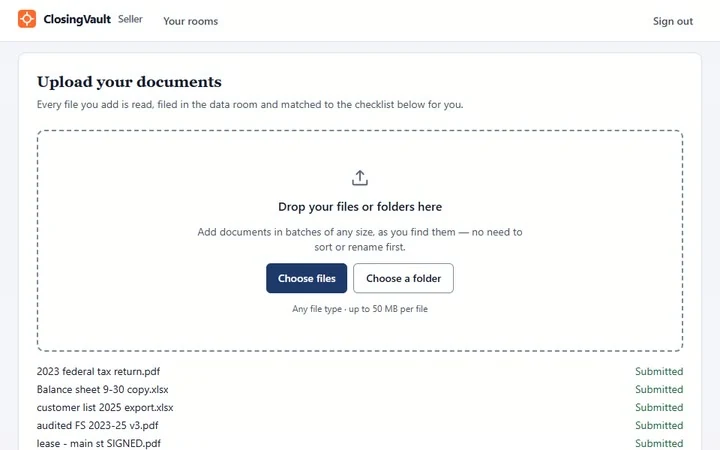
The seller’s upload page in ClosingVault: a drop zone for files or folders in batches of any size, and a just-added batch of files with names straight off a scanner or an export, each listed as Submitted.
File names as they came off the scanner. Nobody renamed them.

What you get out of it

A sale that moves at your pace, not the paperwork’s.

  1. A faster close.

    Your documents are organized and complete before a buyer signs the LOI, so the exclusivity clock isn’t spent hunting for paperwork.

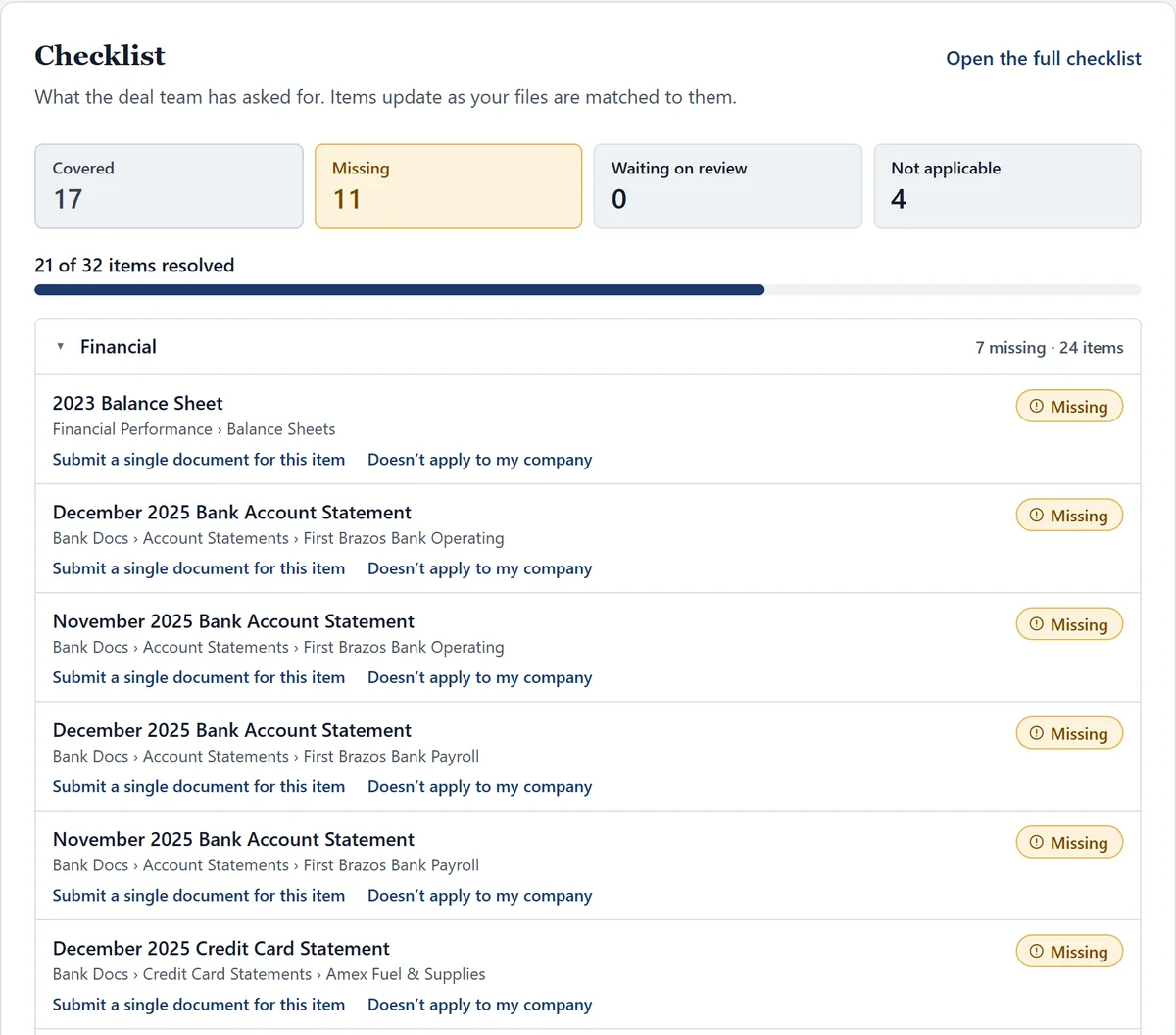
    How: the checklist shows what’s covered and what’s missing, missing first, and fills as each file is matched.

  2. Fewer surprises at the table.

    You see the gaps before a buyer does, and fix or explain them early. Less is left to reopen late in the deal, when it costs the most.

    How: every request stays open until it’s answered, so nothing slips through as silence.

  3. A stronger position with buyers.

    A complete, current room says the company is well run, and it lets serious buyers move quickly.

    How: a newer copy for the same period becomes the current version; identical files are skipped.

  4. The business keeps running.

    No renaming, no sorting. Add documents in batches of any size as you find them, and only handle what’s missing.

    How: each file is read, scans included, and filed by what’s on the page, not its name. Bank statements land under the right account.
The seller’s checklist in ClosingVault: counts of covered, missing, waiting on review and not applicable items, a progress bar of items resolved, and the missing items listed first.
What’s left, at a glance, before anyone signs an LOI.

Control

You decide who sees what, and when.

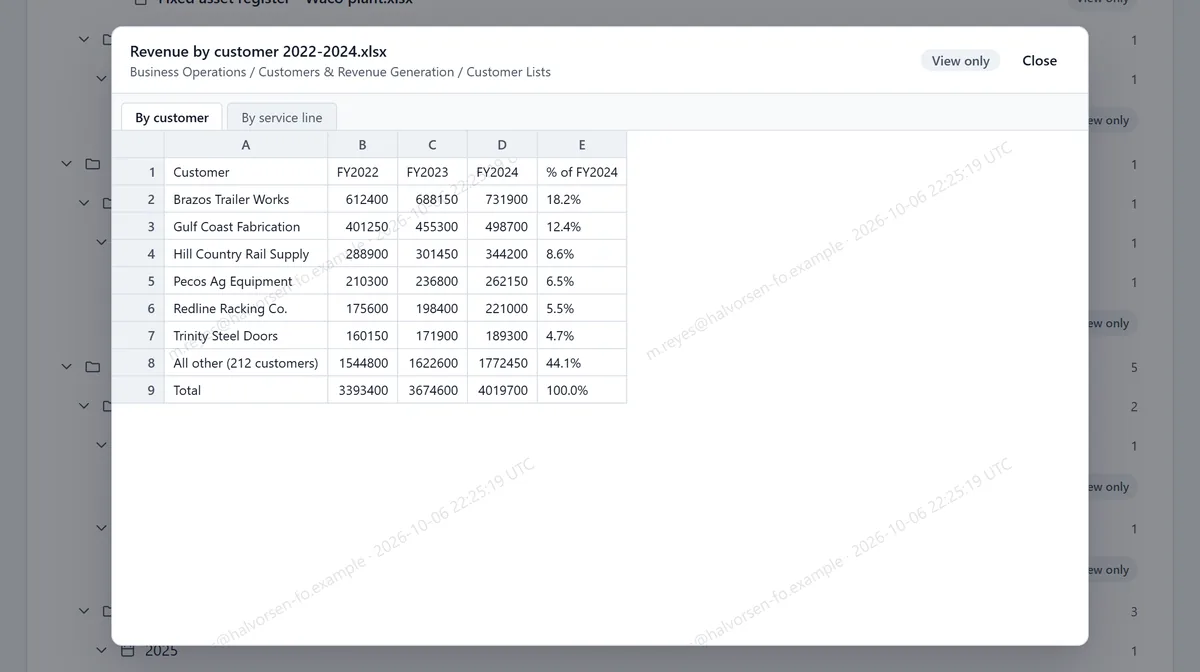
Each buyer sees only what’s released to them at their stage of the deal, and only the people you allow can download. Everyone else reads in a viewer stamped with their name and the time, with printing and copying suppressed.

A buyer viewing a customer revenue workbook in ClosingVault, marked View only, with a diagonal watermark of the buyer’s email address and the time across the grid.
A buyer’s view: watermarked with their own name, view only.
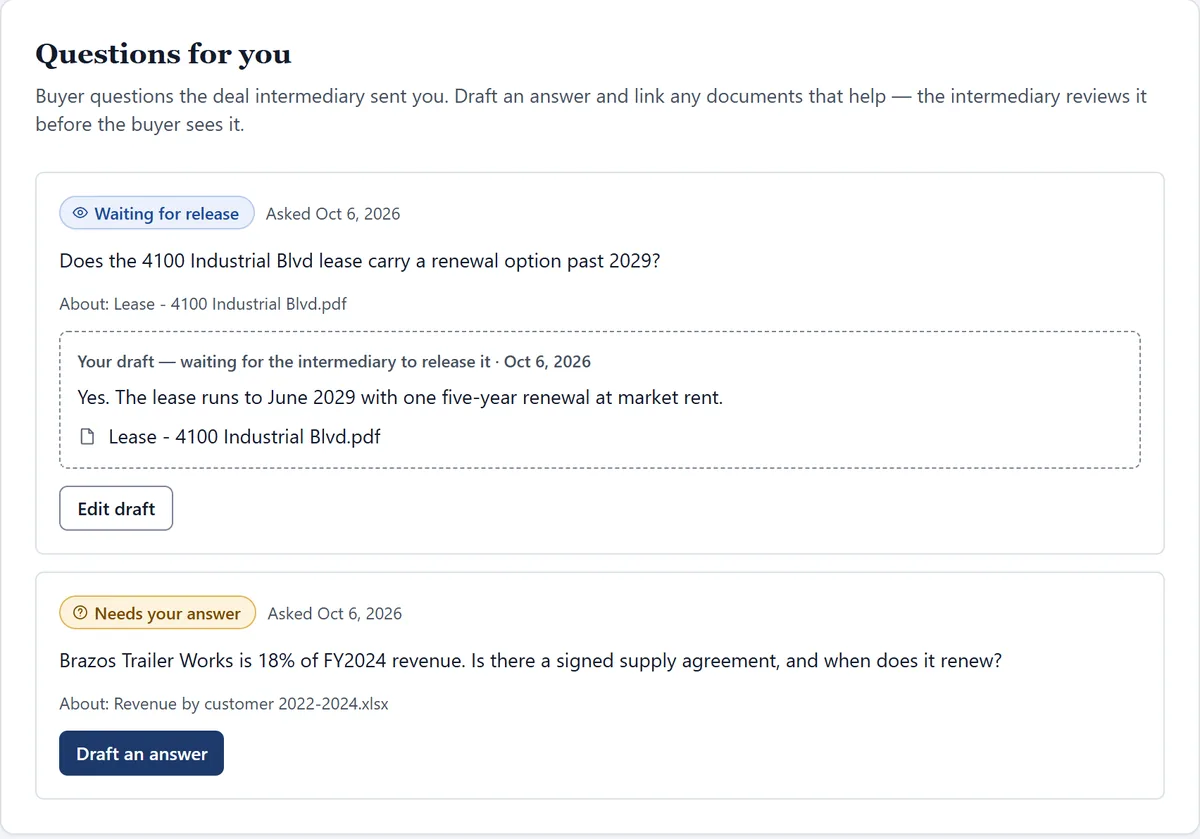
The seller’s Questions for you page: two buyer questions with no buyer named, one with the seller’s draft answer waiting to be released.
Buyer questions reach you without the buyer’s name. Your answer goes out only when it’s released.

Two ways to sell

With your broker, or on your own.

With a broker

Most owners sell this way. Your broker opens the room and pays for it.

  • You add documents; your broker sees the gaps the moment you do.
  • Buyer questions come to you without the buyer’s name. Answer once, and every buyer with access to the CIM can read it.
  • No LOI is locked into exclusivity, or extended, without your sign-off.

On your own

Selling without a broker? Open the room yourself and run the sale from it.

  • Start from your buyer’s request list, or the full ClosingVault checklist on paid plans.
  • Invite each buyer and open the room to them stage by stage.
  • Buyers read and sign the NDA in the room before the CIM opens.
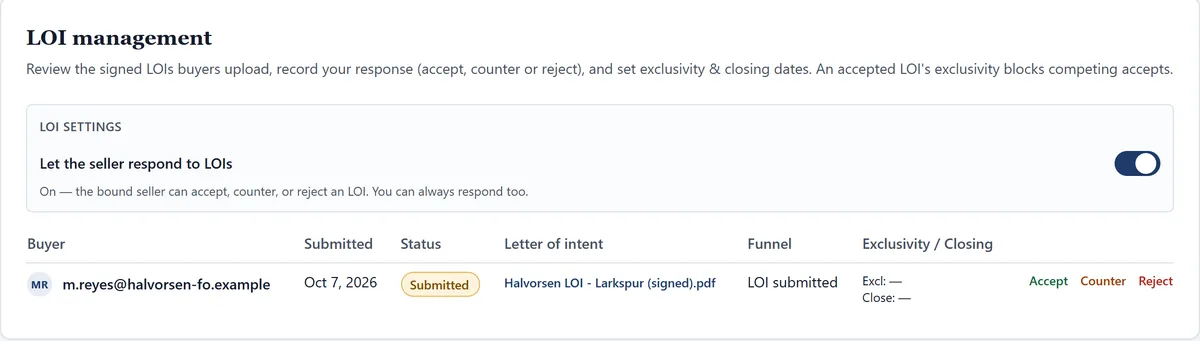
  • LOIs arrive as signed documents. Accept, counter or reject, and set the exclusivity clock.
  • See who is reading what, as plain counts.
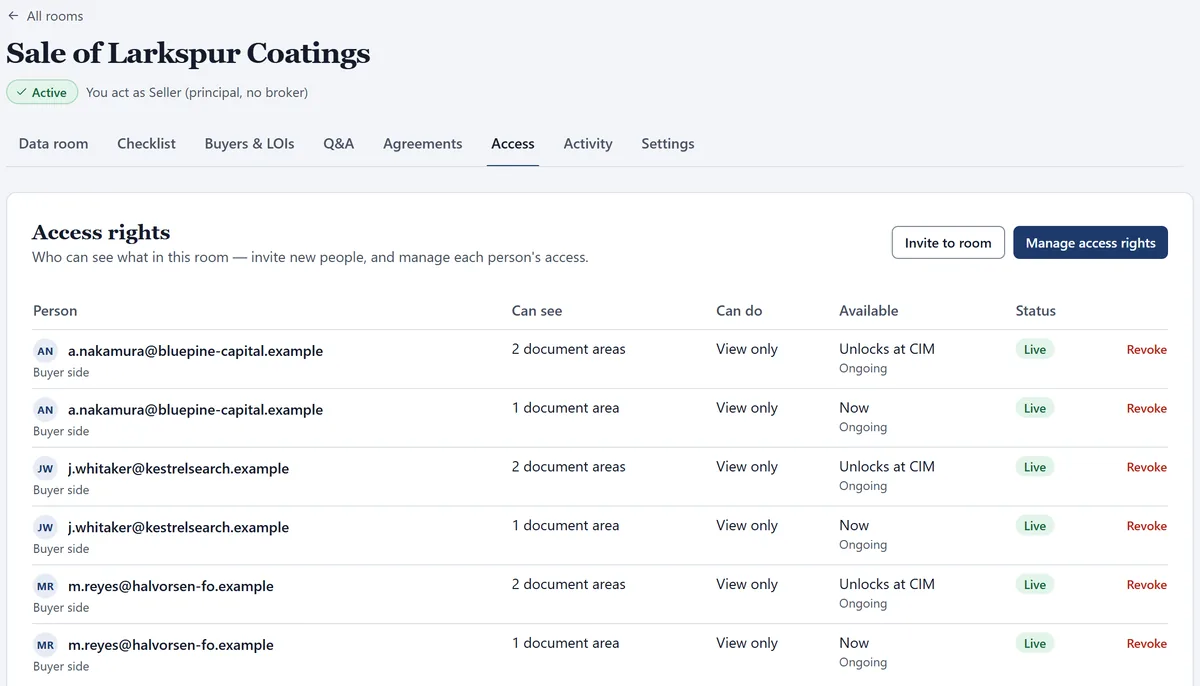
An owner-run room headed “You act as Seller (principal, no broker)”. Its Access rights list three buyers, each with one area visible now and two that open at the CIM stage, all view only.
LOI management: a buyer’s signed LOI, submitted, with Accept, Counter and Reject actions and columns for exclusivity and closing dates.

Due diligence checklist for selling a business

What buyers will ask you for.

For a lower-middle-market sale, expect most of this. The room tracks each request until it’s answered.

  • Tax returnsFederal and state, usually three years, plus payroll tax filings.
  • P&Ls and balance sheetsAnnual for three years, and monthly for the recent stretch.
  • Bank, card and loan statementsMonthly, for every account the company holds.
  • Customers and revenueRevenue by customer, customer contracts and pricing.
  • Property and equipmentLeases, the asset list, equipment leases and vehicles.
  • PeoplePayroll register, benefit plans, contractor agreements.
  • LegalFormation documents, permits, litigation, IP, environmental.
  • InsuranceEvery policy, plus loss runs for the last three years.

What owners ask us

Do I need to rename or sort my files first?

No. Add folders as they are, in batches of any size, any file type up to 50 MB a file. ClosingVault reads each file, scans included, and files it by topic and period.

Will every buyer see everything I upload?

No. Each buyer sees only the folders released to them at their stage of the deal, and only the people you allow can download. Everyone else reads in a watermarked viewer stamped with their name and the time.

Can I sell my business without a broker?

Yes. Open the room yourself as the seller, invite each buyer, and run the NDA, the CIM, LOIs and diligence from one place.

Do I have to pay for ClosingVault?

The firm that opens the room pays. If your broker opened it, they pay. If you run the sale yourself, you start with 30 days free on one deal room.

Get the room ready before the buyer is.

Ask your broker to open a room, or open one yourself: 30 days free with your own checklist, and founding pricing for the first 25 firms.

We will only use your email to contact you about early access.